
The budgeting app
for expats.
Managing money across multiple countries, accounts, and currencies is messy. Finch brings it all together — syncing your banks, converting currencies daily, and giving you a clear birds-eye view of your finances wherever you live.
Multi-currency budgeting, simplified
Whether you are just starting to budget or replacing a complicated spreadsheet, Finch gives you a clean birds-eye view of your finances across countries and currencies.
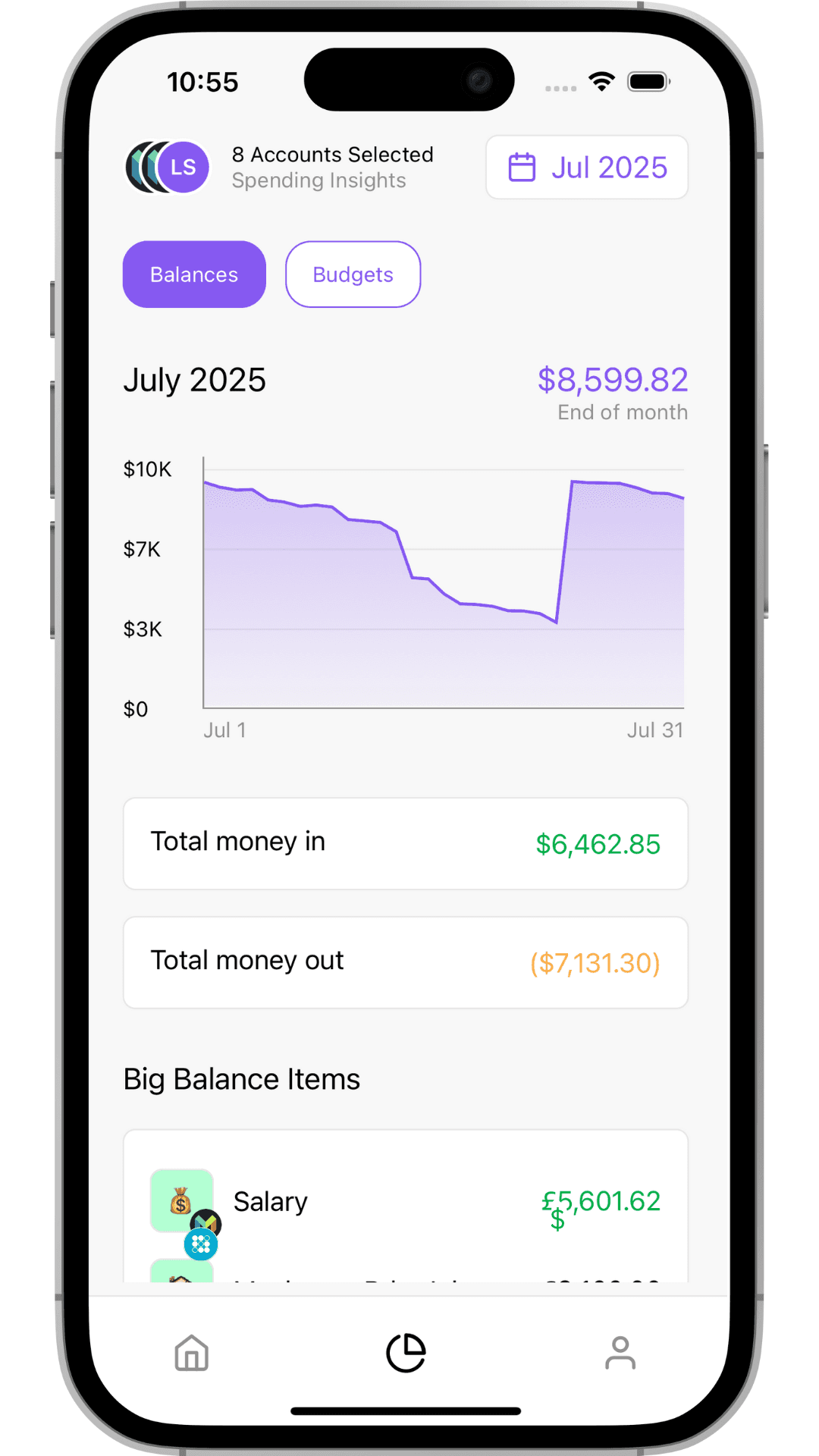
Spending Insights
See day-by-day balance graphs across every account, track money in and out, and spot your biggest transactions — all converted to your home currency.
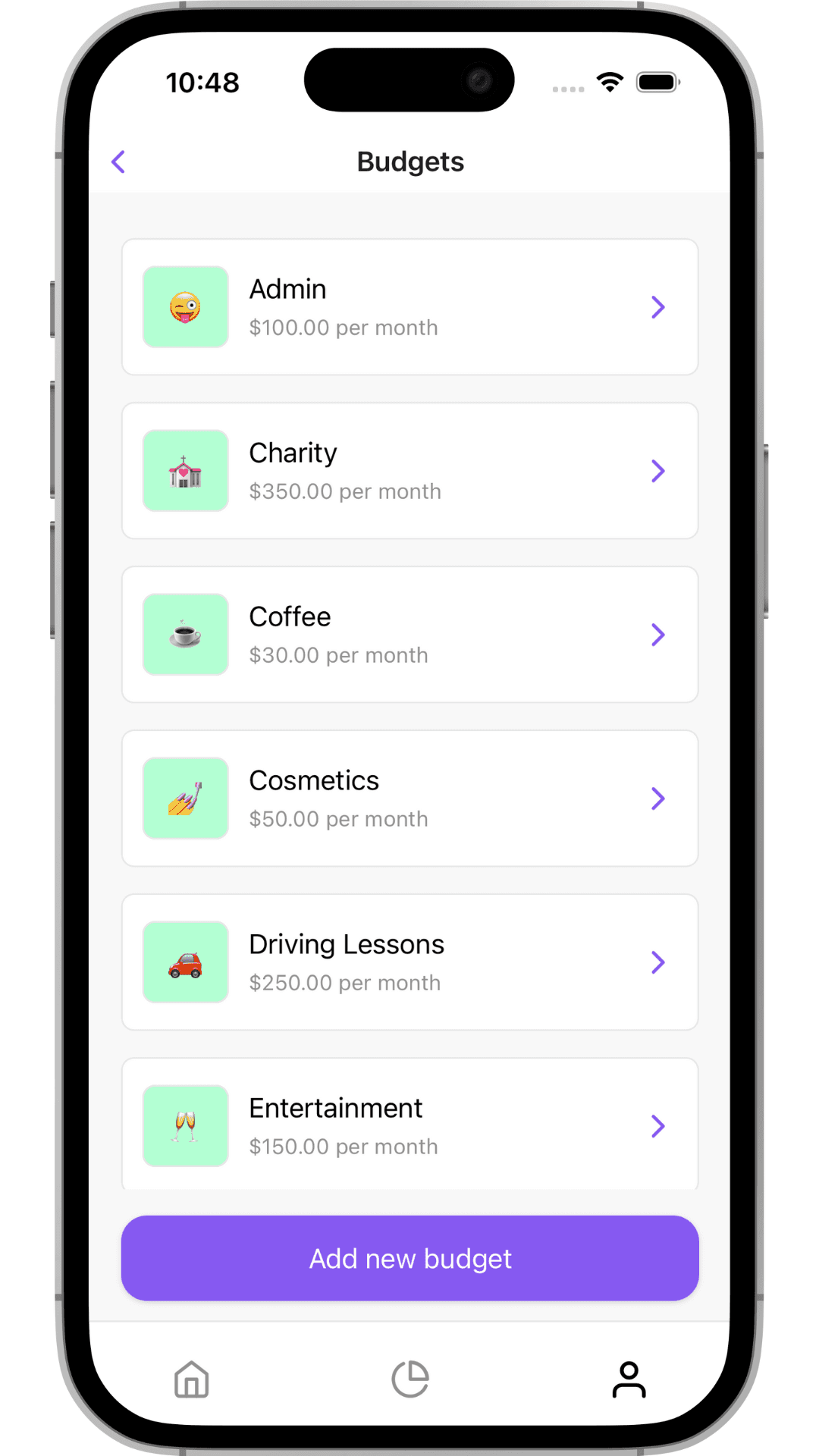
Daily Exchange Rate Conversion
Finch fetches the real exchange rate from the day each transaction happened and converts it into your base currency. Your balances and spending always reflect the actual value — no guesswork.
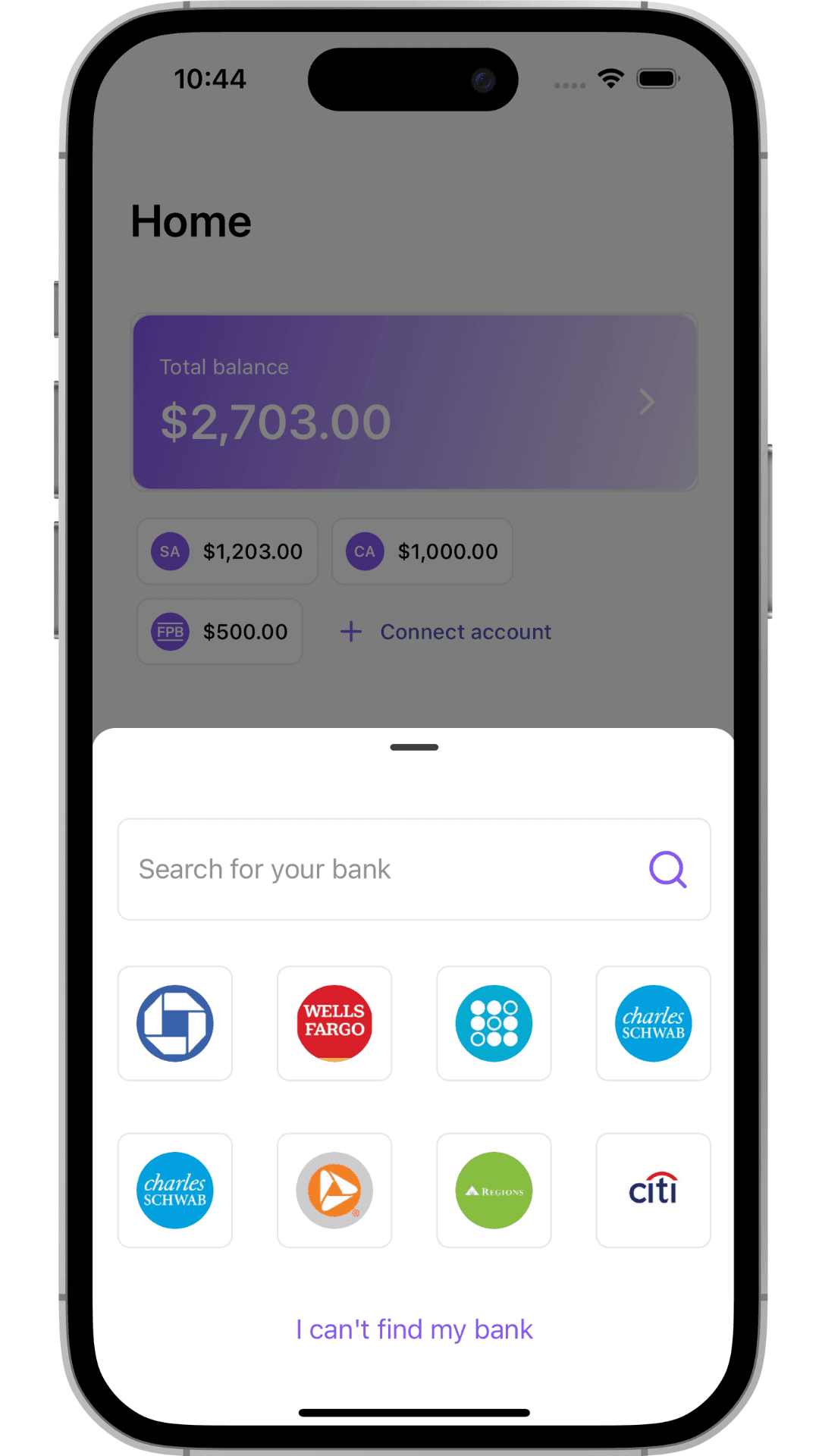
Automatic Bank Syncing
Connect accounts from multiple countries through secure Open Banking. Finch syncs your transactions automatically — or import via CSV with AI-powered column mapping.
Affordable budgeting — no annual lock-in
$5/month with no annual contracts. Try everything free for 14 days.
Free Trial
$0
14 days, full access
- ✓ All features included
- ✓ Up to 2 bank connections
- ✓ No credit card required
Pro
$5/mo
Cancel anytime
- ✓ Unlimited bank connections
- ✓ Everything in free trial
- ✓ Continued unlimited access
- ✓ Priority support
Expat budgeting FAQ
Is there a free trial? ▾
Yes! Finch comes with a 14-day free trial with full access to every feature. No credit card required.
Are there any hidden fees? ▾
None. Finch Pro costs $5/month — without locking you into an annual contract to get that price. No setup fees, no surprise charges, no per-budget or per-account fees.
Can I cancel anytime? ▾
Absolutely. Cancel from your App Store subscription settings at any time. No questions asked, no penalties.
Which banks are supported? ▾
Finch connects to banks across Europe and beyond through Open Banking, syncing your transactions and balances automatically every night. For banks not supported by Open Banking, you can import transactions via CSV — Finch uses AI to detect and map your columns automatically.
How does multi-currency work? ▾
Pick a home currency and Finch converts everything using the actual exchange rate from the day each transaction happened. Your budgets and insights are all shown in your chosen currency.
How are transactions in different currencies calculated? ▾
When a transaction happens in a foreign currency, Finch fetches the exchange rate from that specific day and converts it into your base currency. This means your balances and spending always reflect the real value at the time of each transaction — no guesswork or approximations.
Start managing your money abroad
Ditch the spreadsheet and get a clear birds-eye view of your finances across every account and currency.
Free 14-day trial · No credit card required